
Introduction
Introduction to MQTT Publisher integration from Airthings
Configure Airthings to publish sensor data and hub metadata directly to your own MQTT broker in real-time as JSON payloads. You configure a connection to your broker, and Airthings maintains a persistent connection, publishing data as it arrives from your devices.
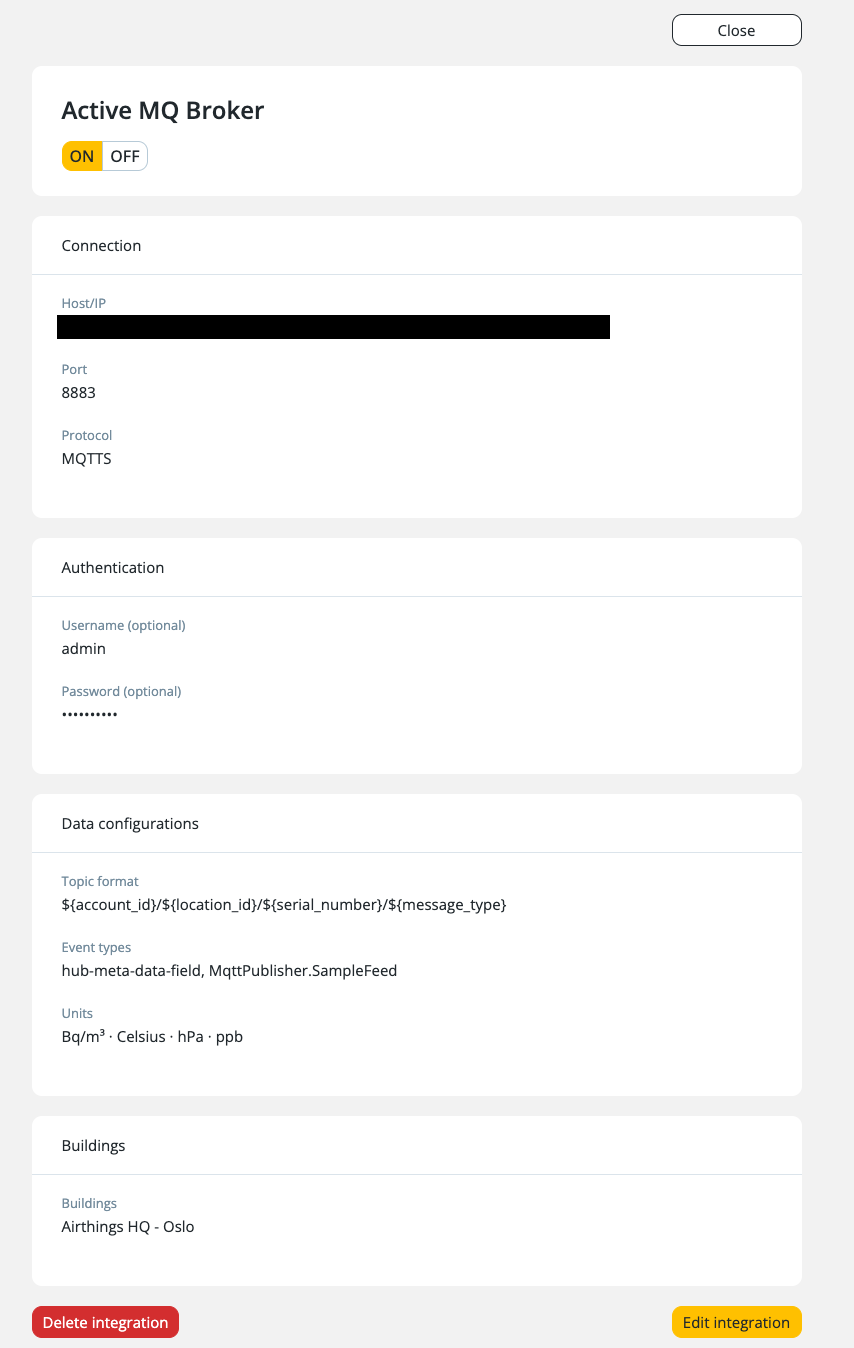
Event types
MQTT Publisher supports two event types:
| Event Type | Topic Value | Description |
|---|---|---|
Sample Feed (MQTT_SAMPLE_FEED) | sample | Real-time sensor readings from devices — temperature, humidity, CO₂, radon, TVOC, pressure, PM1/PM2.5/PM10, light/lux, sound level, battery percentage, RSSI, with health ratings. |
Hub Metadata Feed (MQTT_HUB_META_DATA_FEED) | metadata | Hub status information — connected devices, last seen timestamps, signal strength, device types, connection type (Cellular/Ethernet). |
Protocols
| Protocol | Port | Encryption |
|---|---|---|
MQTT | 1883 | Unencrypted |
MQTTS | 8883 | TLS encrypted |
Authentication
Two authentication methods are available:
| Method | Protocol Support | Details |
|---|---|---|
| Basic Authentication (username/password) | MQTT and MQTTS | Optional for MQTT, required for MQTTS (if not using certificates) |
| Certificate-Based (mTLS with client cert, client key, CA cert) | MQTTS only | Not supported with MQTT protocol |
For MQTTS connections, you must provide at least one authentication method (username/password or certificates). Both methods can be used together.
Customizable topics
Topic structure is configurable using template variables:
${account_id}— Account ID${location_id}— Location ID${serial_number}— Device serial number${message_type}—sampleormetadata
Default template: ${account_id}/${location_id}/${serial_number}/${message_type}
See Topics for the full reference on topic templates and payload formats.
Subscription filtering
Control which data Airthings publishes to your broker:
- Locations — Subscribe to all locations in your organization, or select specific locations
- Event types — Filter by event type (
MQTT_SAMPLE_FEED,MQTT_HUB_META_DATA_FEED, or both)
Configurable sensor units
Customize the units used in published payloads:
| Measurement | Options |
|---|---|
| Temperature | °C / °F |
| Pressure | hPa / inHg |
| Radon | Bq/m³ / pCi/L |
| VOC | ppb / µg/m³ |
| Length | m / ft |
Connection management
- Persistent connections — Airthings maintains long-lived connections to your broker and reconnects automatically if the connection drops or if the configuration changes
- QoS 0 (at-most-once delivery) — Messages are fire-and-forget. If you need to recover potentially lost data, use the API alongside MQTT Publisher
- Test connection — Verify broker connectivity before going live using a dedicated test endpoint
Limits
- Up to 10 MQTT configurations per organization
Next steps
- See Getting Started to create your first MQTT Publisher configuration
- See Topics to explore topic templates and payload formats
Updated 7 months ago